

l4 GPU. After the model is loaded, each
512 by 512 picture takes about a quarter of a second.
1
Create a GPU machine
2
Install Diffusers
The GPU template already has PyTorch in
/opt/venv, so you only add the image libraries.3
Copy the script
Save this script as Make a folder for the pictures on the machine, and copy the script into it.
generate.py on your computer. It loads the model once, with a safety
checker that blanks a picture it flags, and then draws one picture for each pair of a prompt and
a file name.generate.py
4
Generate the pictures
Run the script with three prompts. The first run downloads the model, which is about 2.5 GB,
into the machine’s Hugging Face cache.The script prints how long the model took to load and how long each picture took. This output
is from a run with the model already on the machine’s disk.The first picture of a run takes longer than the ones after it.
5
Copy the pictures to your computer
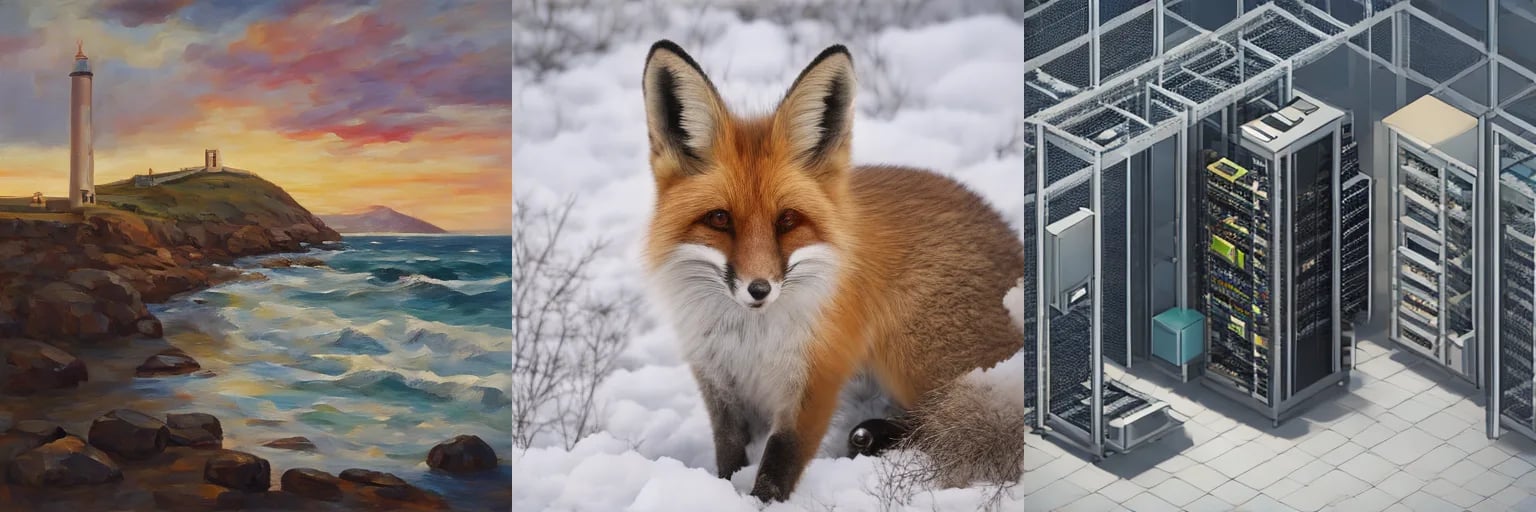
gen2.png and gen3.png. The picture at the top of this page shows the
three results of this run.6
Stop or delete the machine
Stop the machine when you are done for now. The model and your pictures stay on its disk, and a
stopped machine does not pay for its GPU.Delete the machine when you no longer need it.
What it uses
SD-Turbo is a small model, so it leaves most of the 24 GiB of anl4 free. A larger model, such as
SDXL or FLUX, needs more memory, so check its size before you pick a GPU type.
To generate many pictures, pass all the prompts to one run, so that the model loads once.
Serve an open model
Keep a model loaded behind an HTTPS endpoint.
GPU machines
GPU types and counts, and what the template includes.