

1
Create a machine and copy its SSH URI
cloud-dev, then Details. Under SSH, select Create token and
copy the URI.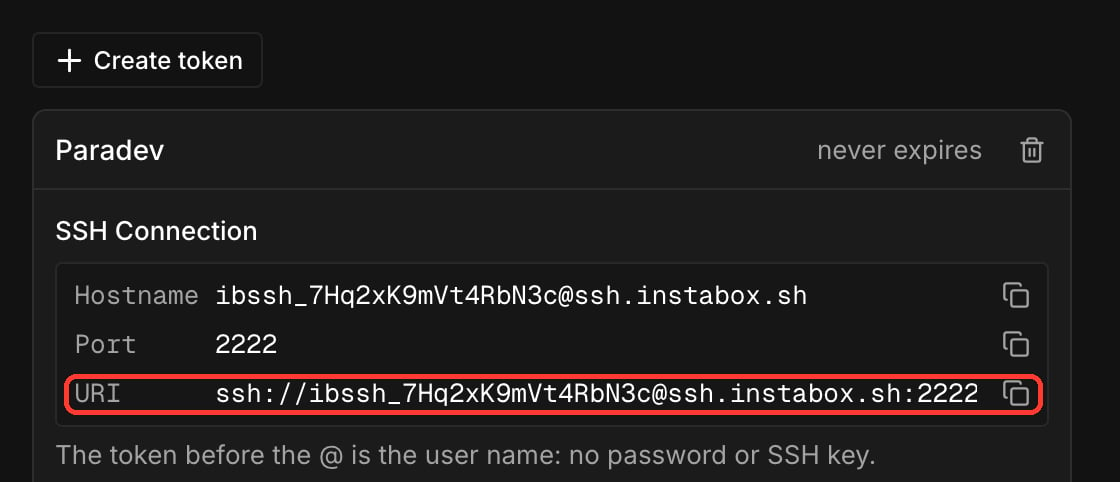
2
Open the host setup in Paradev
Go to Settings, then Hosts, and select Set up a host over SSH.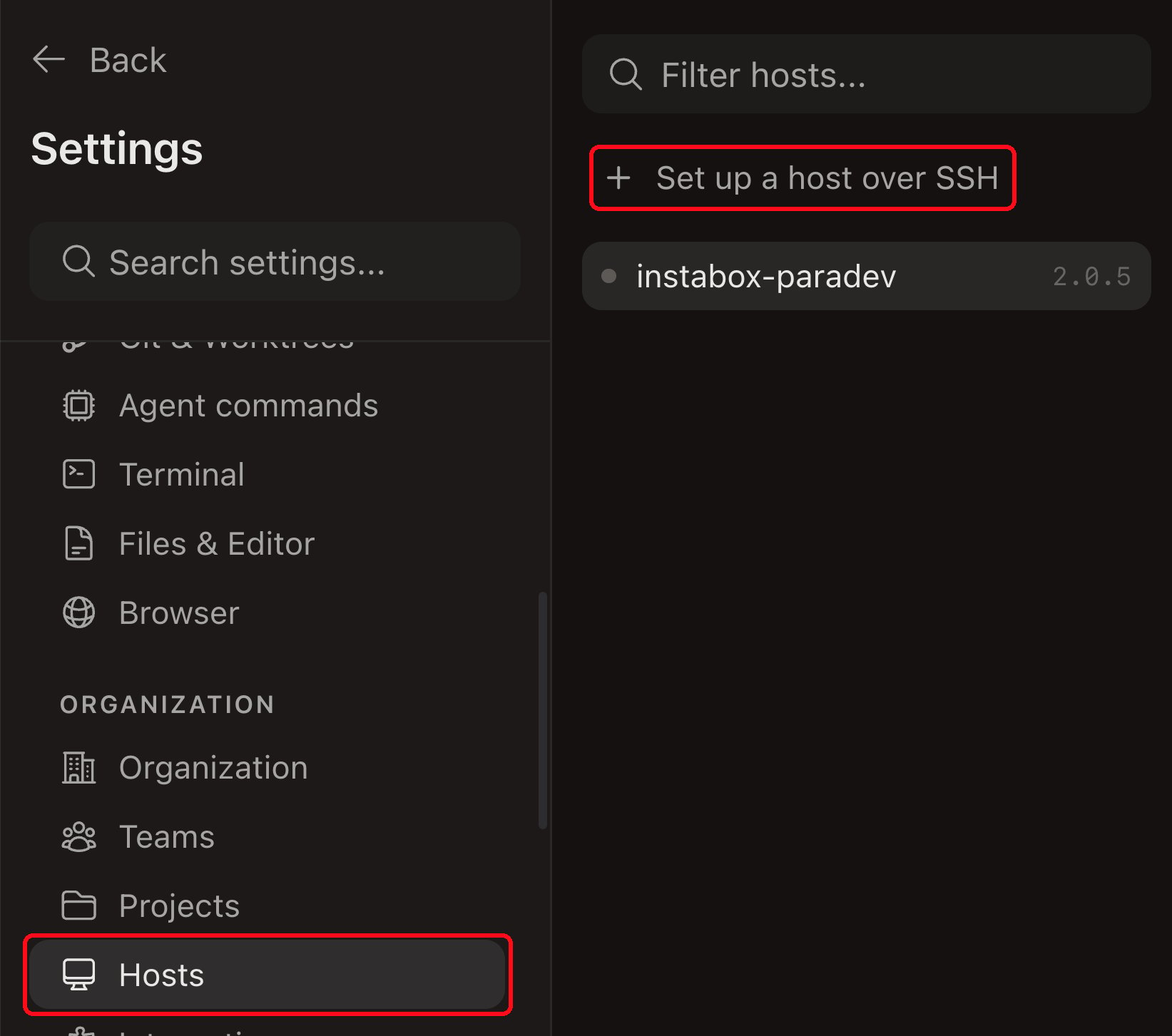
3
Paste the URI
Enter the whole URI, in the form 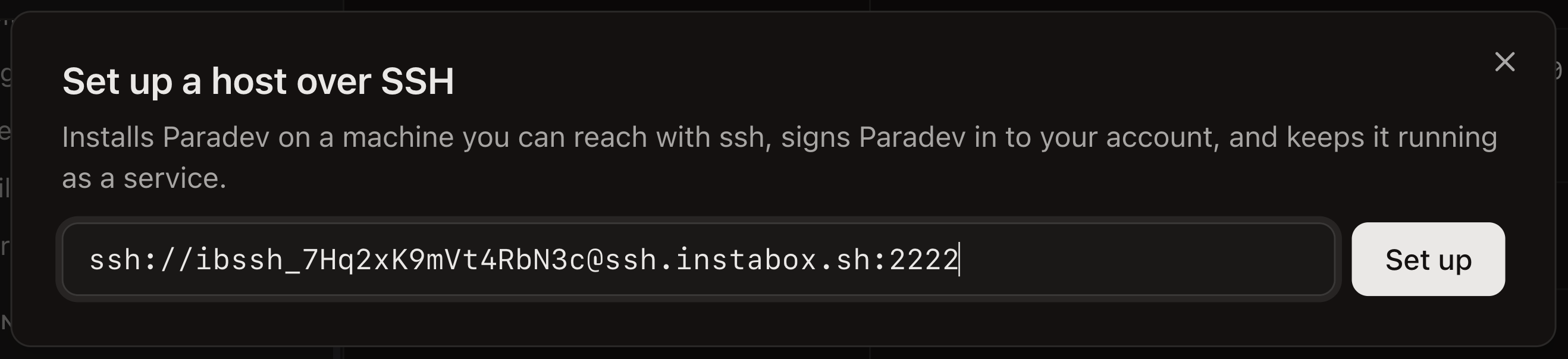
ssh://ibssh_…@ssh.instabox.sh:2222, and select Set up.
Answer the prompts in the terminal that opens.4
Set up GitHub
5
Start coding
In Paradev, select the machine as the host and clone your repository. Press ⌘N, describe the
task, pick an agent, and create the workspace. The agent runs on the machine.The first time you use an agent, start it once in the
instabox ssh cloud-dev shell and sign in. The
Device filter in Workspaces lists the machine under Other devices.Known gap: Paradev cannot wake a paused machine, so new prompts do not reach it. The machine shows as
offline within about two minutes. Run
instabox wake cloud-dev, or instabox resume cloud-dev if you
paused it yourself. The host reconnects in seconds, with its terminals intact.Add the host from the Paradev CLI
Add the host from the Paradev CLI
superset when the product was renamed to Paradev. To get the URI without
the dashboard, run instabox ssh-token cloud-dev --ttl never --json, and build
ssh://<token>@<host>:<port> from its fields.Remove the host
Remove the host
Run this before you revoke the token, because it connects over SSH:The command stops the host on the machine and revokes the API key that setup created. Then delete
the offline host in Settings, under Hosts.
SSH
Tokens, expiry, and revoking access.
Auto-pause and max-run
What counts as idle and what wakes a machine.